
For many seniors, modern technology can be overwhelming, especially when it comes to smart TVs and streaming devices. Indeed, most devices are designed for tech-savvy users, with small buttons, complex menus, and confusing setup procedures. Consequently, this often results in frustration, limiting the ability to enjoy online entertainment. The easiest streaming device for seniors, DingBOX, addresses these challenges with a focus on simplicity, accessibility, and intuitive design, thereby ensuring everyone can enjoy movies, TV, and apps without stress.
Why Most Devices Are Not The Easiest Streaming Device for Seniors
Many modern streaming devices assume users know how to navigate menus, install apps, and manage accounts. In contrast, these designs are rarely senior-friendly. Older adults frequently struggle with issues such as:
- Small buttons and complicated remotes: the buttons are tiny, overloaded with functions, hard to see, and difficult to press accurately.
- Cluttered interfaces: screens filled with too many icons, tabs, and hidden menus can easily overwhelm seniors. Consequently, they find it hard to remember how to access or find the features they need.
- Complicated setup: many devices require frequent software updates and separate logins for each app, and some even force users to log out every time they exit an app or block multi-device login. All of which create unnecessary time-consuming challenges for older users.
- Lack of accessibility features: small fonts, confusing navigation, and the absence of voice control make the overall experience far less user-friendly.
Ultimately, these barriers make streaming technology difficult to access for a large number of seniors, even though the available content such as movies, classic TV shows, entertainment programs, news, and live sports is perfectly suited for them.
Older adults deserve entertainment that is easy to use, reliable, and comfortable every day. Therefore, that’s exactly why DingBOX stands out as the easiest streaming device for seniors — simple, clear, and fully optimized for effortless viewing.
Easy-to-Use Streaming Device for Older Adults
DingBOX eliminates the barriers that seniors often face with traditional streaming devices or smart TVs. As the easiest streaming device for seniors, DingBOX combines an intuitive interface, large icons, and built-in voice control. This design makes every step of the viewing experience simple and accessible, offering an easy-to-use streaming device for seniors that truly removes complexity.
Effortless Setup and Updates on the Easiest Streaming Device
One of the biggest challenges for older users is device installation. DingBOX, recognized as the easiest streaming device for seniors, removes this stress completely:
- Plug-and-play design: simply connect to any TV via the HDMI port.
- No hidden menus: DingBOX does not have hidden tabs or menus. All the apps you want to watch are placed directly on the home screen.
- Intuitive interface: all applications are displayed clearly with large, easy-to-read icons, suitable for older users.
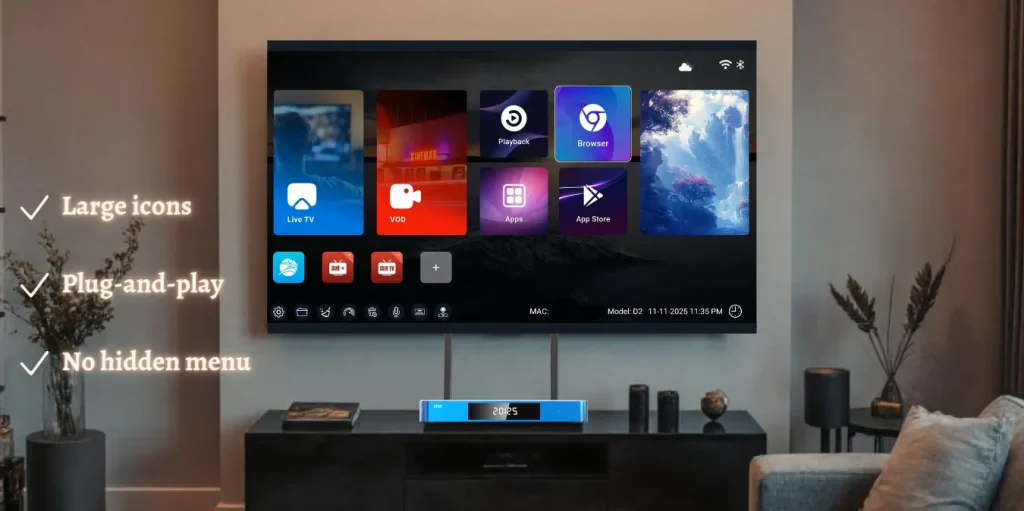
With DingBOX, seniors can start watching their favorite shows within minutes. Unlike many other devices, which require complicated setup, software updates, multiple app downloads, or disrupt live viewing, DingBOX ensures a seamless, hassle-free experience. This simplicity is what makes DingBOX the easiest streaming device for seniors on the market.
Simple Voice Control on the Easiest Streaming Device
Many seniors struggle with remotes or remembering multiple steps to open apps or find content. DingBOX, as the easiest streaming device for seniors, provides voice control so users can search for shows, change channels, or open apps just by speaking. This feature also allows quick access to favorite programs without manually navigating through menus.
Voice control not only simplifies the viewing experience but also provides a sense of independence, helping seniors feel confident and empowered while using the device.
Content Access on the Easiest Streaming Device
The DingBOX ecosystem is rich and diverse, including pre-installed exclusive apps that offer a seamless experience. Consequently, seniors enjoy entertainment without downloading multiple third-party apps. This content variety contributes significantly to why DingBOX is the easiest streaming device for seniors:
- Blue TV: 2,000+ live TV channels from various countries and categories.
- Blue VOD: 16,000+ on-demand videos, updated daily.
- Playback: access to 86 live TV channels for the last 7 days, so you never miss your favorite programs.
- Sun TV: includes an additional 720 local channels, VIP channels, and dedicated sports channels.
- Sun+ (exclusive app): a premium adult-content app featuring up to 75 categories for a personalized viewing experience.
- 7 Free Bonus Prime Apps: provides additional international TV channels from over 10 countries, along with hundreds of thousands of movies and on-demand shows.
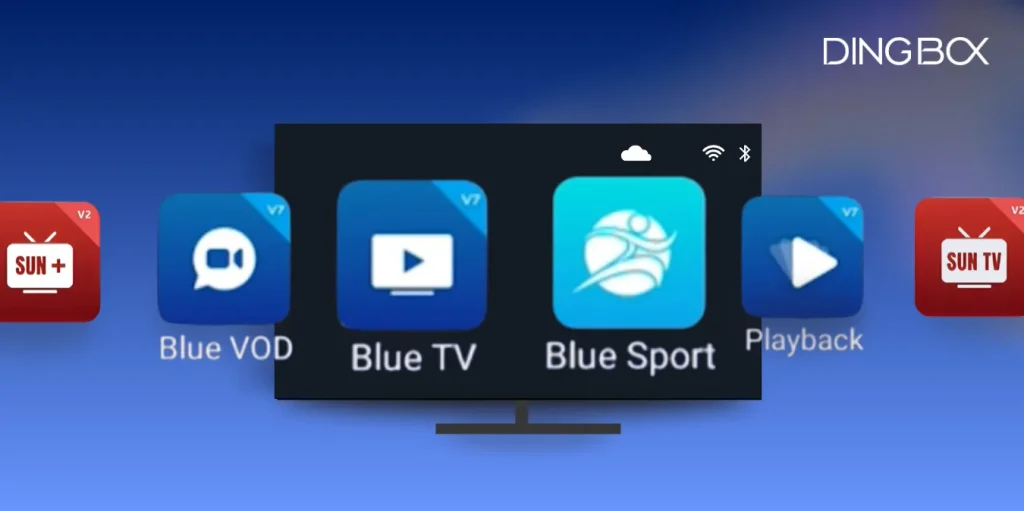
This immediate and extensive content access sets DingBOX apart from competitors that require complicated app installations. Users gain peace of mind knowing all their entertainment is consolidated and ready to watch instantly.
Therefore, with this extensive content library, seniors can enjoy unlimited entertainment effortlessly. DingBOX’s combination of simplicity, content variety, and intuitive design makes it the ultimate easiest streaming device for seniors.
How DingBOX Stands Out as the Easiest Streaming Device
Instead of requiring complicated operations, multiple account logins, or confusing menus, DingBox offers an entertainment experience that is intuitive, seamless, and comfortable right from the start. Here are the outstanding features that many other devices do not have include:
Exclusive Features of the Easiest Streaming Device
DingBOX possesses outstanding features that many other devices lack, focusing on maximum convenience for older adults:
- Favorites list: users can add their favorite channels to a personal list. This feature eliminates the need to spend time searching for channels or remembering channel numbers, creating fast and convenient access to content.
- Playback section: users can watch 86 live TV channels from the past seven days. All replay programs are organized within a separate app, enabling users to select and watch content easily without manually fast-forwarding, ensuring they never miss their favorite shows.
Effortless Content Control
- Channel lock: also called Parental Control on DingBox, allows users to restrict access to specific channels or content. This feature is especially useful when children share the TV or when seniors want to prevent access to certain channels. Users can set a password or PIN to lock selected channels, giving them complete control over what content they can watch while still allowing adults easy access to their favorite programs.
Rich, Pre-installed Content Ecosystem
In addition, DingBOX offers a rich content ecosystem with pre-installed exclusive apps. Seniors can immediately access live TV channels, on-demand movies, news apps, sports content, and classic movie collections. They do not need to log in to multiple accounts or download individual third-party apps. All applications are arranged clearly on the home screen, making them convenient and easy to use.
FAQs About DingBOX – the Easiest Streaming Device for Seniors
DingBOX addresses technology barriers, delivering a complete and hassle-free entertainment experience for older adults. The device integrates everything, from a friendly interface to diverse content, allowing users to focus on enjoying their viewing rather than managing complex operations.

To ensure total confidence in your purchase, we have compiled answers to the most common inquiries from seniors and their family members regarding device operation, maintenance, and content access.
Can seniors use it without technical help?
Yes. DingBOX is designed for intuitive use, making it easy for seniors to start streaming right away. Users simply plug the device into any TV and follow the on-screen guidance. For detailed step-by-step instructions, watch our YouTube installation guide or follow our full app setup tutorial to enjoy thousands of channels and on-demand content immediately.
How much maintenance is required?
DingBOX does not require any maintenance fees, and users can update software easily with just one click. You can follow the simple steps in our guide on updating DingBOX to keep your device running smoothly.
Can I watch live TV and movies without signing accounts?
Yes. DingBOX comes with preloaded apps and channels, allowing users to access thousands of live channels and on-demand movies immediately, without the need for multiple logins or app installations.
Conclusion
DingBOX truly stands out as the easiest streaming device for seniors, combining intuitive design, large and clear icons, voice control, and a rich library of preloaded content. Unlike traditional smart TVs or some other streaming devices, it eliminates complicated setups, multiple logins, and confusing menus. Therefore, accessing live TV, movies, apps, and more becomes effortless for older adults. Specifically, features like the favorites list, playback of 86 live channels over the past seven days, and channel lock ensure secure viewing. Ultimately, seniors enjoy entertainment that is secure, seamless, and convenient.
To get the best streaming box and enhance your home entertainment, visit the DingBOX official shop and purchase the easiest streaming device for seniors. Apply the coupon DINGBOXBESTBOX at checkout to save $50 and enjoy seamless streaming of live TV, movies, and apps right away.
Share this post with your friends!

Top Best APKs for TV Box: Verified Working Codes 2026 Update
If you’re looking to get more out of your device, finding the best APKs for…

Streaming Devices for Non-Smart TV: Maximize Your Old TV Value
Your non-smart TV still works well, but it lacks diverse entertainment content? Do not rush…

How to Watch TV Without Cable, Save Space and Money
How to watch TV without cable and save space and money has become a major…
What Is a DingBox TV Box? A Simple Guide for New Users
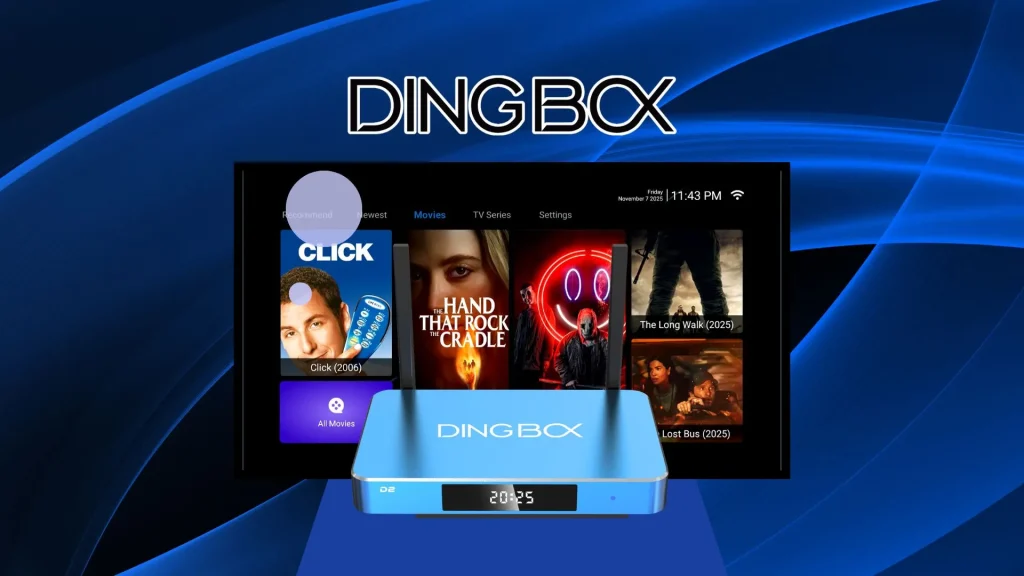
DingBox is a new smart TV box launched in November 2025, built by a team…
Fully Loaded Android TV Box: What It Costs and Where to Buy
In today’s fast-paced world, entertainment has become an essential part of our daily lives. Many…

The Best TV Box for RV Streaming in 2025: A Complete Guide
For many people living, traveling, or vacationing in an RV, entertainment is part of everyday…