
In recent years, the demand for IPTV has increased significantly. Users no longer want to watch television only, but also need a device that is stable, offers diverse content, is easy to use, and delivers long-term value. For this reason, the channel list has become a key factor that many users and resellers consider when choosing an android streaming box. This article helps you understand what DingBOX D2 is, explore its exclusive applications, and learn detailed information about the DingBOX channel list. If you are looking for a reliable IPTV solution for long-term use or business, this article provides a clear and practical perspective.
What is DingBOX D2?
Before you explore the details of the DingBOX channel list, you need to understand what DingBOX D2 is and who it is designed for, especially if you are searching for the best iptv for resellers.
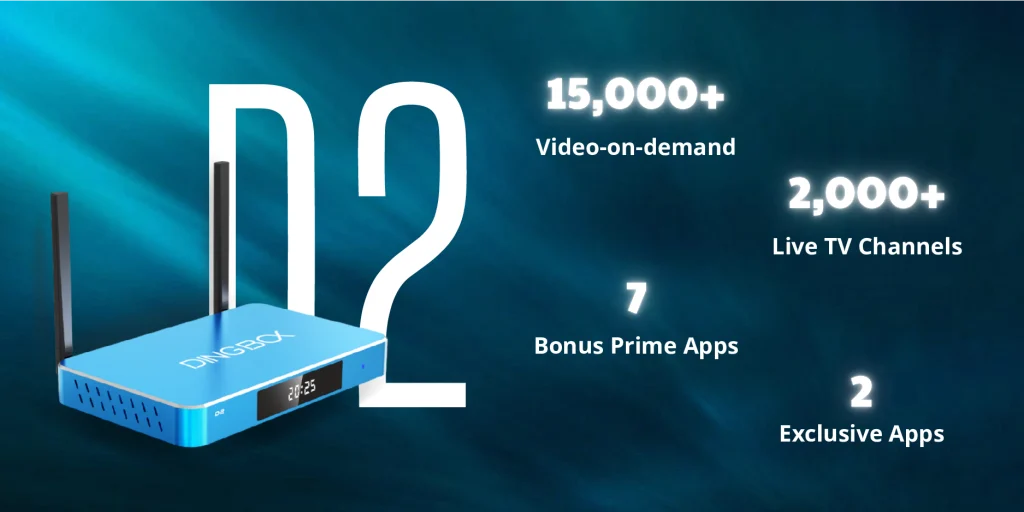
DingBOX D2 is a premium android TV box that comes with built-in IPTV services and entertainment content. Unlike many low-cost devices on the market, DingBOX D2 focuses on stable performance, smooth operation, and long-term usage value instead of competing only on low pricing.
The strongest highlight of DingBOX D2 lies in its channel list. Instead of only promoting a large number of channels, DingBOX emphasizes consistent content updates. The DingBOX channel list includes live TV, sports, movies, and VOD. The system manages and updates content regularly, which helps users avoid channel errors, broken links, or outdated programs.
Because of this approach, the DingBOX channel list works especially well for families and elderly users, and it also makes DingBOX one of the best IPTV options for resellers who want to reduce after-sales support risks. To get a clearer picture of what channels DingBOX offers, continue reading below for a detailed breakdown.
DingBOX Channel List: Content, Categories, and Update Frequency
To clearly understand why DingBOX D2 suits long-term investment, you need to look at the pre-installed application ecosystem on this streaming device. The diversity of the DingBOX channel list does not rely only on the ability to install third-party applications. DingBOX also builds its own dedicated app system and optimizes these applications to work smoothly and consistently with the device.
Blue TV
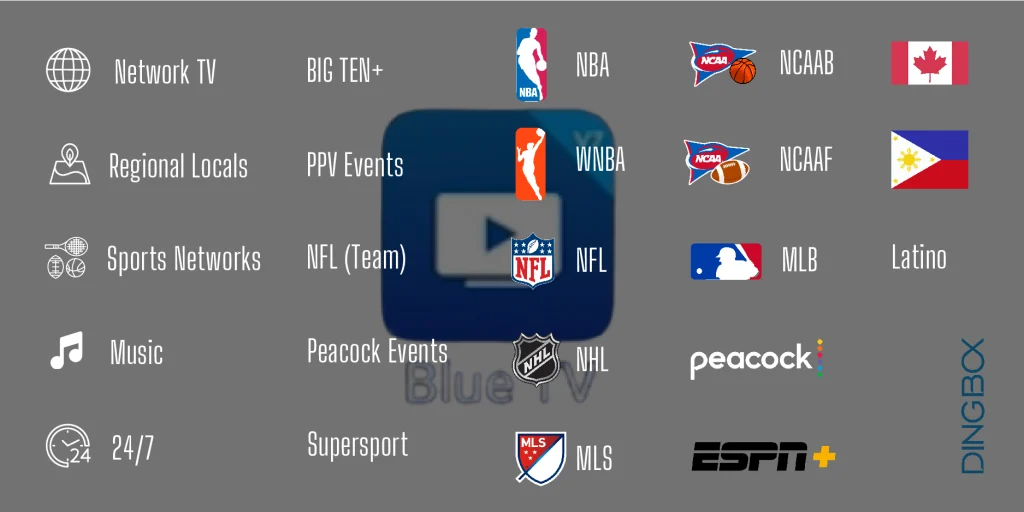
Blue TV provides more than 2,000 live TV channels and organizes them into specific content categories, which helps users clearly classify channels based on the sections below. The entire DingBOX channel list in Blue TV follows a well-structured system that makes channel browsing and viewing easier, and this structure suits both new users and older audiences.
The main channel groups in Blue TV include:
- Network TV and Regional Locals: This group gathers national and local television channels and serves daily needs such as news, entertainment programs, and lifestyle content.
- Sports Networks: This group features comprehensive sports channels and delivers continuous updates on major sporting events.
- 24/7 Channels: These channels stream themed content around the clock and allow users to watch without interruption.
- PPV Events: These channels cover important Pay-Per-View events and suit users who enjoy premium sports and entertainment.
In addition, Blue TV further categorizes content by specific leagues and sports, including: NBA, MLB, NFL, NFL (Team), NCAAF, BIG TEN+, MLS, NCAAB, NHL, ESPN+, and WNBA. This structure helps users follow their favorite teams or leagues without spending time searching.
Beyond sports, the DingBOX channel list in Blue TV also expands into many other content categories, such as:
- Music.
- Peacock TV and Peacock Events.
- Regional television channels, including Canada, Latino, and Philippines.
- Supersport.
Below are the main categories of Blue TV. With 23 clearly organized categories, users can easily find their preferred content by browsing predefined sections within a library of more than 2,046 live TV channels.
These structured classifications allow users to quickly find the channels they care about instead of spending time browsing through individual content. This organization also makes the DingBOX channel list more user-friendly and helps resellers introduce the product more efficiently.
Blue VOD
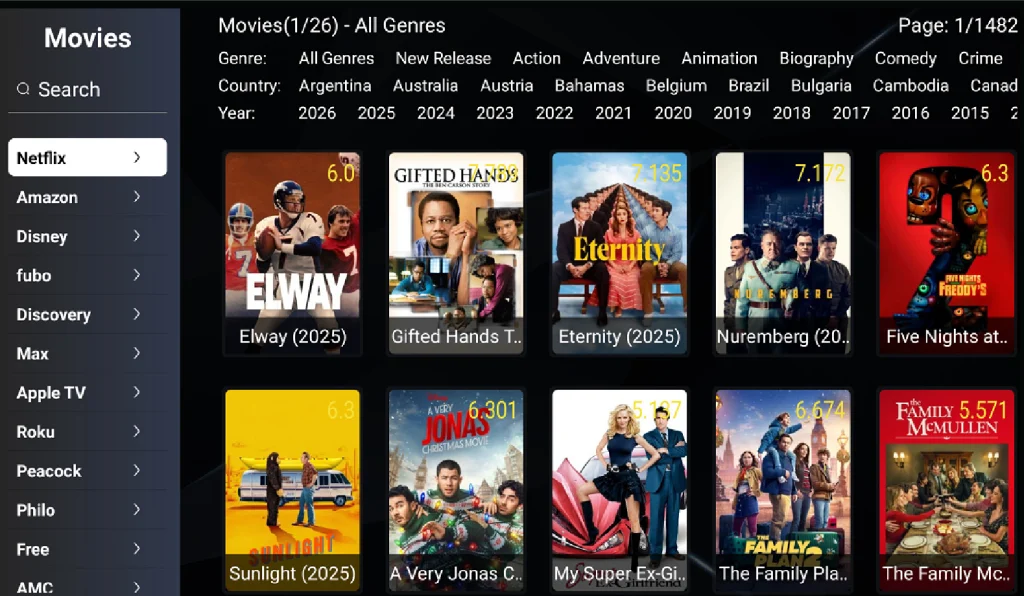
In addition to Blue TV, Blue VOD also offers a large movie library with 16,127 movies across 19 different categories. The content comes from well-known studios and production platforms in the entertainment industry, which brings a wide range of styles and consistent content quality.
Beyond its size, Blue VOD uses a well-structured organization system that makes content easy to browse. Each category is further divided by criteria such as genres, country, and year. The genres section alone includes more than 25 popular types, including action, adventure, comedy, drama, animation, and many others, which helps users quickly find content that matches their personal preferences.
Thanks to this clear structure and rich library, the DingBOX channel list does not only meet live TV viewing needs but also delivers a complete entertainment experience for the entire family.
Blue Sport
Blue Sport is a dedicated application within the DingBOX channel list, created for users who spend most of their time following sports-related content. Instead of navigating the full channel directory, Blue Sport organizes channels that are primarily focused on sports into a more streamlined and accessible interface.
The application includes five main categories:
- Network TV
- Regional Locals
- Sports Networks
- PPV Events
- NFL
While the Network TV and Regional Locals sections may also contain non-sports programming, the channels in these categories place a strong emphasis on live sports coverage, major leagues, and event-based broadcasts. In total, Blue Sport brings together 1,008 channels that highlight sports-centric viewing needs.
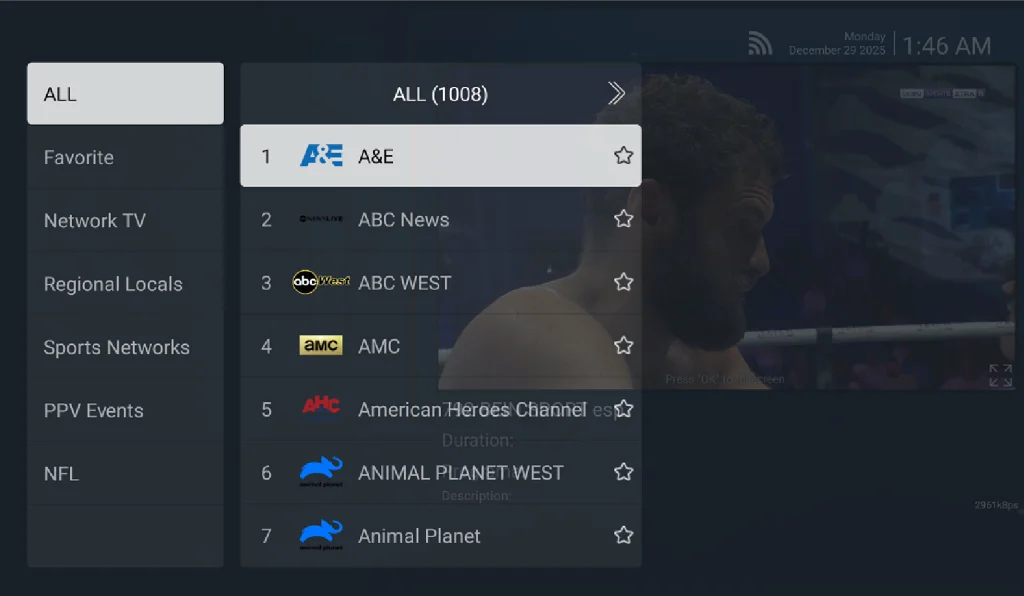
Blue Sport does not serve as the core live TV platform. Instead, it functions as a convenient entry point for users who want faster access to sports-focused channels without unnecessary browsing. By separating these frequently watched channels into a standalone app, DingBOX improves navigation efficiency and delivers a smoother viewing experience during peak sports events.
Playback
A major limitation of traditional live television is that viewers often miss their favorite programs due to schedule conflicts. DingBOX D2 addresses this issue through the Playback (Time-Shift) feature, which allows seven-day replay on 86 selected live TV channels.
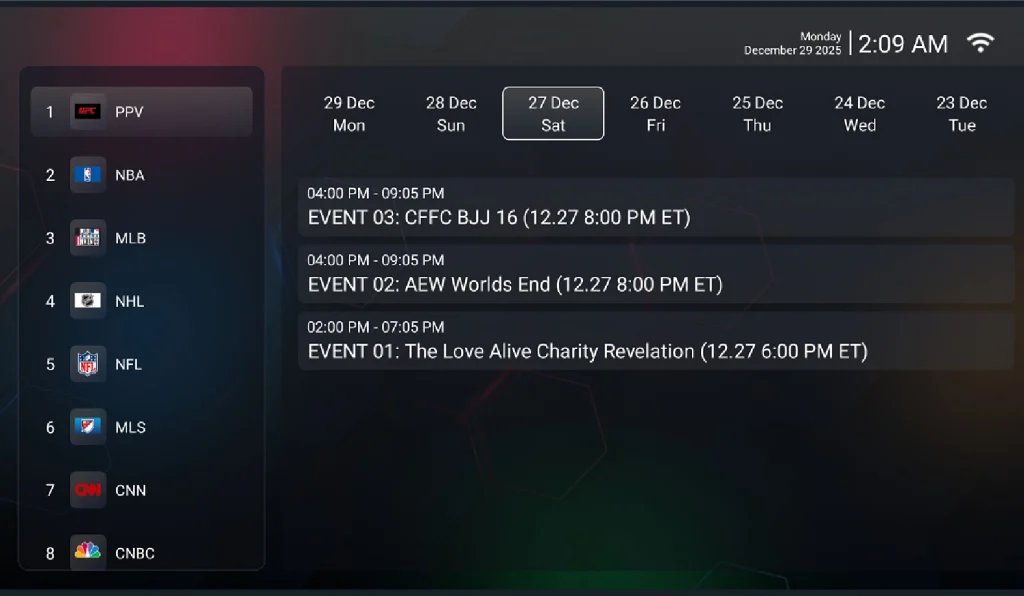
Users do not need to download content or set up complex recording functions. They simply choose previously aired programs and watch them instantly, which makes Playback especially convenient for users with busy or unpredictable schedules.
Below is the list of 86 live TV channels that support automatic seven-day playback on DingBOX D2, allowing users to revisit recently broadcast content at any time without manual recording.
| PPV | Hallmark Channel | NFL Network | ABC 7 Denver | CBS 2 Chicago | NBC 4 New York |
| NBA | Animal Planet | MLB Network | ABC Channel 2 Atlanta | CBS 2 Los Angeles | NBC 4 Washington |
| MLB | Discovery Channel | SportsNet L.A | ABC 6 Philadelphia | CBS 2 New York | NBC 5 Chicago |
| NHL | Nickelodeon | SCIENCE | ABC Austin | CBS 4 Boston | NBC 7 San Diego |
| NFL | TLC | NAT GEO | ABC KOMO 4 Seattle | CBS 4 Denver | NBC 9 News Denver |
| MLS | Investigation Discovery | Discovery Science | FOX 10 Phoenix | CBS 4 Miami | NBC KING 5 Seattle |
| CNN | Cartoon Network | Disney Channel | FOX 11 Los Angeles | CBS 8 San Diego | NBC KPRC Channel 2 Houston |
| CNBC | MTV | HISTORY | FOX 5 New York | CBS KHOU Houston | NBC 6 Miami |
| FOX News Channel | Bet | ABC 7 Chicago | FOX 5 San Diego | CBS KIRO 7 Seattle | NBC KARE 11 Minneapolis |
| NewsMAX 2 | Food Network | ABC 7 Los Angeles | FOX 5 Washington | CBS WUSA9 Washington | NCAAF |
| FOX Business Network | Bravo | ABC 7 New York | FOX 26 Houston | CBS 3 Philadelphia | Fox Sports 1 |
| ESPN | OWN | ABC 13 Houston | FOX 13 Salt Lake City | CBS 32 Louisville | |
| MSNBC | TNT | ABC 15 Phoenix | FOX 31 Denver | NBC 10 Boston | |
| WE tv | TRUTV | ABC 2 Baitmore | FOX 5 Atlanta | NBC 11 Alive Atlanta | |
| CBS EAST | UNIVISION | ABC 10 San Diego | FOX 25 Boston | NBC 4 Los Angeles |
Backup TV
Backup TV provides an additional streaming layer that helps maintain stable access to live TV channels and on-demand content within the DingBOX channel list. When a primary streaming source experiences issues, users can quickly switch to a backup source, which significantly reduces buffering and freezing during playback.
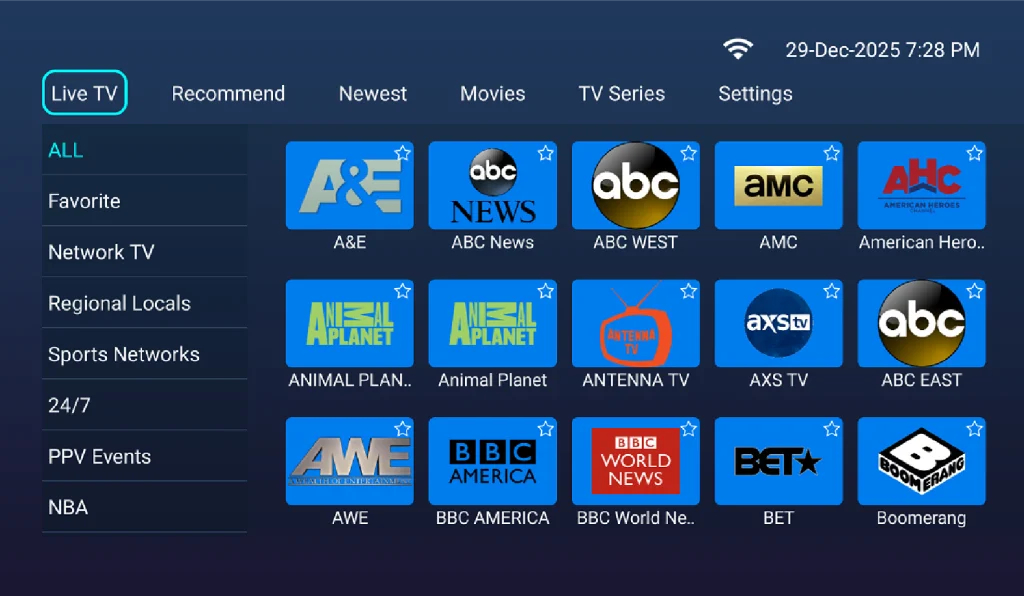
Backup TV mirrors the structure of Blue TV by dividing live channels into 23 categories, making navigation familiar and easy for users. This consistency allows users to move between apps without needing to relearn the channel layout.
Moreover, Backup TV also offers access to VOD content, which appears under the “Movies” and “TV Series” sections within the app. This integration ensures that users can continue watching entertainment content even when the main streaming service is temporarily unavailable.
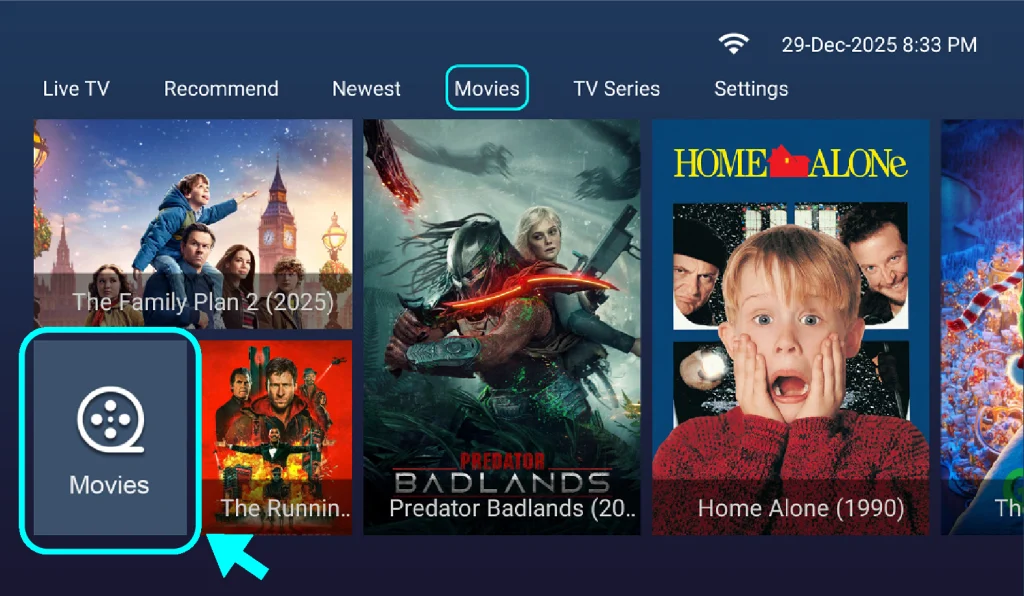
Backup TV also provides access to a dedicated TV Series section, where users can follow popular shows with organized episode listings and stable playback. This section allows viewers to continue watching series content conveniently within the same app, without switching platforms or installing additional applications.
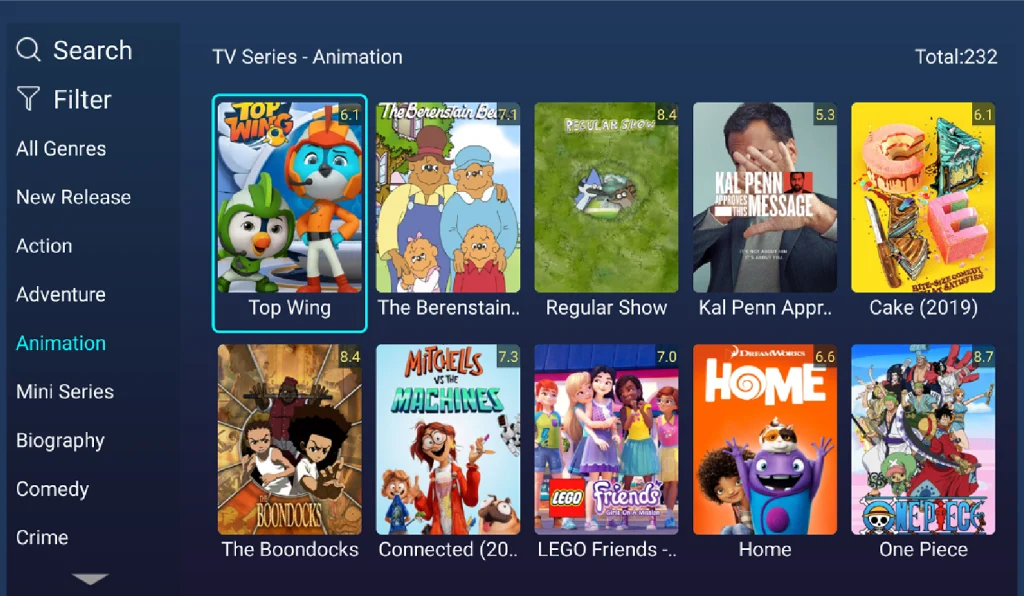
As a result, Backup TV strengthens the overall reliability of the DingBOX ecosystem. By combining a well-structured channel system with backup streaming sources, this feature plays an important role in delivering long-term stability, especially for users and resellers who prioritize a dependable IPTV solution.
Sun TV and Sun+: Expanding Access to Specialized Content
The basic channels above only represent the starting point. DingBOX D2 differentiates itself from many other streaming devices on the market by integrating two exclusive applications. These applications offer a wider range of entertainment options and suit diverse user needs. As a result, users not only expand their viewing experience but also significantly reduce monthly television costs compared to subscribing to multiple separate services. This expanded ecosystem further enriches the DingBOX channel list and overall content value.
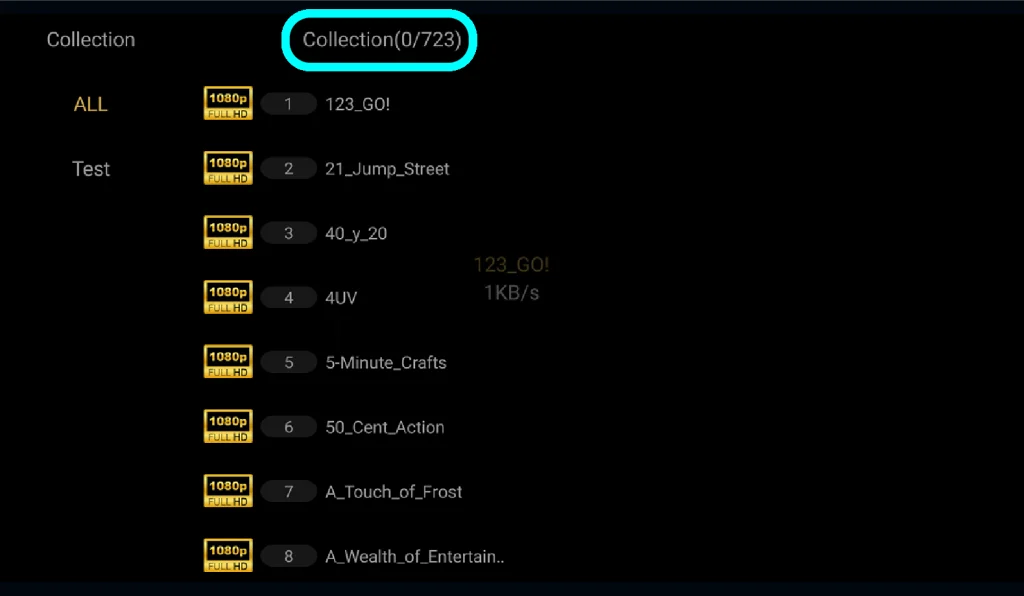
Sun TV significantly expands the channel lineup by adding 723 local channels, many VIP channels, and dedicated sports channels. This application serves as an ideal option for users who want to follow specialized content that is not commonly available on other TV boxes or traditional television services.
In addition, Sun+ operates as an exclusive application dedicated to providing premium adult content on the DingBOX platform. This application features an extensive library organized into up to 66 different categories, allowing users to fully customize and personalize their viewing experience based on individual tastes.
To provide a clearer overview of the vast selection available, here is a detailed breakdown of the diverse categories you can explore within the app:
| Brazzers | Network | Steele | Hush | Asses |
| Bros | Official | Aaane | Butts | PUREMATE |
| Skeet | Jay | Hoez | Sex | XXX |
| Khalifa | Sis | Films | Sensations | Jordan |
| Blacked | Girls | Parade | ShopLyfter | FGE |
| Strokes | Raw | AndySavage | LETSDOEIT | First |
| Studios | Society | Diaries | Cock | PASSION-HD |
| Adams | Thehabibshow | 18 | Hookuphotshot | Filthykings |
| Vixen | Bitch | Bunnies | Crush | CUM4K |
| MyPervyFamily | Bang | Camsoda | Hotguysfuck | Small |
| Tushy | Pervcity | Way | D | |
| America | Paul | Fetish | PAWG | |
| Porn | Puba | Backroomcasting | Videos | |
| Mom | Me | Love | JuliaAnn |
By seamlessly integrating Sun+ into its ecosystem, DingBOX delivers a truly comprehensive entertainment library. This addition ensures the device functions as a powerful and effective alternative to multiple standalone paid television packages, meeting the diverse needs of every user.
Where to Buy Authentic DingBOX D2
DingBOX D2 goes beyond a standard multimedia streaming box and delivers a complete, feature-rich entertainment ecosystem. The diversity of the DingBOX channel list, from more than 2,000 live channels on Blue TV to the 7-day Time-Shift feature and exclusive content on Sun+, ensures that users can find suitable content for every viewing preference.
Visit the official DingBox website to purchase an authentic DingBOX D2 and ensure full compatibility with the DingBOX ecosystem. Buying from an authorized seller helps users avoid counterfeit products, activation errors, and after-sales issues, while also guaranteeing consistent performance and reliable support throughout long-term use.
For additional savings, customers can apply the coupon code SUPERBOXFAM at checkout to receive $50 off each DingBOX D2 device. This discount is applied per unit, so purchasing multiple devices will qualify for a discount on each individual box.

Additionally, if you’re interested in becoming a DingBox wholesaler or authorized distributor, please leave your information in the form below. Our team will contact you via email with further details. If you don’t see our email in your Primary inbox, please be sure to check your Spam or Promotions folder as well.
FOLLOW US ON SOCIAL!