
Your non-smart TV still works well, but it lacks diverse entertainment content? Do not rush to buy a new TV! The fact that your TV is not a smart TV does not mean that you are limited in content or cannot watch Netflix, YouTube, or other popular applications. There are many great solutions on the market. This article will help you compare the best streaming devices for non-smart TV, guiding you to easily transform your old TV into a smart TV. We will also analyze the key factors you need to consider before purchasing, helping you find the perfect, affordable solution for your home entertainment center.
Why Need Streaming Devices for Non-Smart TV
Choosing to use a separate streaming device, instead of relying on an expensive new smart TV, offers a huge benefit. Therefore, you can easily upgrade your perfectly working non-smart TV to modern standards without spending too much money.
Benefits of Upgrading Your Old Television with a Streaming Device for Non-Smart TV
Many people think that having an old TV means they are limited in their viewing choices. This is a common misconception. Furthermore, dedicated, modern streaming devices often provide much better performance and speed compared to the built-in software of older Smart TV models.
- Cost savings: this is the biggest advantage. A brand-new smart TV is a huge investment. In contrast, a high-quality streaming stick or box typically costs between $18 and $300, depending on the resolution, storage capacity, and a few other factors. Therefore, this is the most cost-effective way to get all the smart features you want for an older TV.
- Access diverse content: external devices ensure you access the latest versions of almost all popular applications available on smart TVs today, including Netflix, Disney+, and Amazon Prime.
- App support: the software support period for streaming devices for non-smart TV can last longer than the integrated Smart TV OS, which tends to become obsolete over time. The purpose of these updates is to fix bugs, improve performance, and maintain an optimal user experience. This is important because over time, applications can become outdated and run slower. Thus, frequent updates will fix arising errors and optimize speed, ensuring users always have the smoothest and best experience.
In summary, upgrading your old TV with a streaming device for non-smart TV is the smartest and most cost-effective solution for you to enjoy the latest entertainment content.
Understanding How Streaming Sticks and Boxes Work
A streaming device for non-smart TV functions as the “brain” of the television. They are small gadgets that run an operating system such as Android, Roku OS, or Fire OS.
The connection process is very simple:
- For streaming sticks: users will plug the device directly into the TV’s HDMI port for connection. Following that, you must use the power cable (often a USB cable included) to connect the device to an external power source. This power source can be a USB port on the TV or the dedicated power adapter included in the box.
- For streaming boxes: users will use an HDMI cable to connect the box to the TV. Simultaneously, the device will also be connected to a power source through a separate power cord, which is typically a power adapter.
This single cable carries both the video and audio signals. In summary, these streaming devices for non-smart TV provide the operating system. They allow users to install applications, connect to the Internet via Wi-Fi, and watch content immediately. If your old TV has an HDMI port, it can absolutely become a smart TV.
Top Streaming Devices for Non-Smart TVs: A Detailed Comparison
The market offers a wide variety of streaming devices for non-smart TV. Each device has unique advantages, serving different needs, from incredibly budget-friendly prices to a premium user experience. Therefore, choosing the right device mainly depends on the user’s budget and specific feature requirements. Although all these devices are a one-time purchase with no mandatory monthly hardware fees, their actual user experience and compatibility differ significantly.
Fire TV Stick
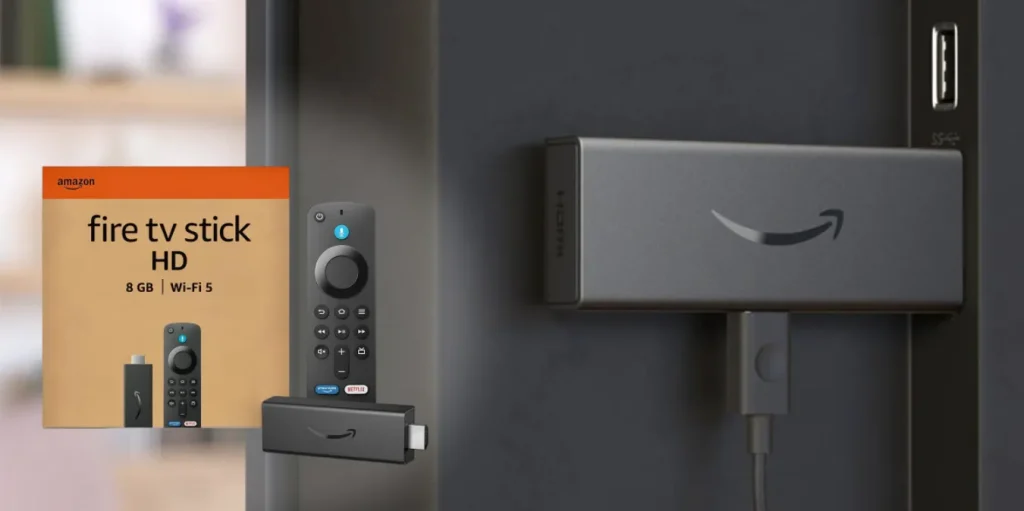
Pros:
- Low price point: the cost is low, making it suitable for users with a limited budget.
- Prime Integration: it offers extremely convenient integration for Prime members, allowing quick access to Prime Video content.
- Voice search: users can use Alexa to search for content just by using their voice.
Cons:
- Ecosystem focus: it works best for users within the Amazon ecosystem. Conversely, the device does not integrate well with Google services (and vice versa).
- Content fees: users can access several free streaming services like Pluto, Tubi, and Freevee, however, they must still pay subscription fees to watch other desired TV channels.
- Data tracking: Amazon tracks user behavior and sells advertising based on that monitoring. As a result, users see targeted ads.
Roku Streaming Stick
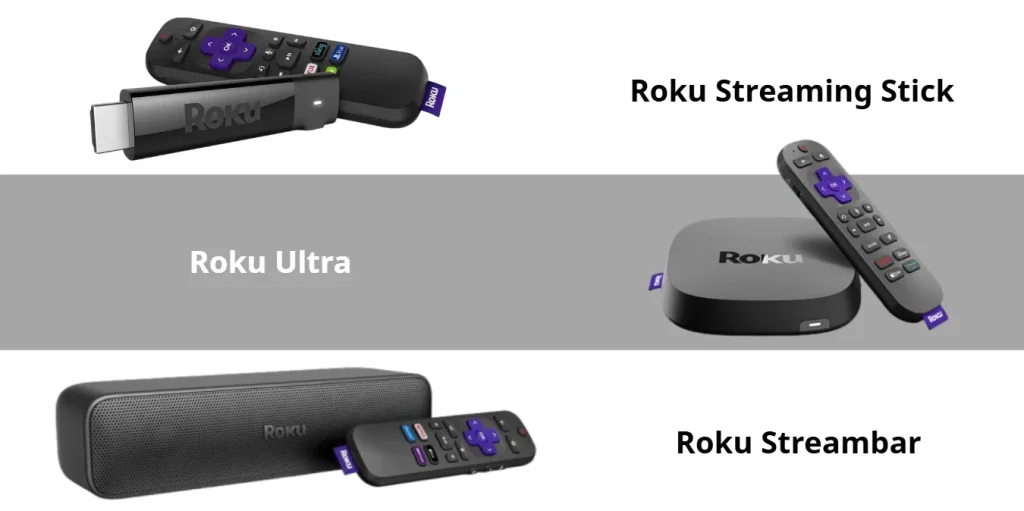
Pros:
- User Interface (UI): the user interface is easy to use and very responsive. In contrast to some smart TVs that often lag or freeze, Roku is known for operating very quickly because of its lightweight interface.
- Easy operation: the simple design makes it an ideal choice for people who are not tech-savvy or for households where multiple generations use the device.
Cons:
- Limited web browsing: users cannot browse the internet directly on the Roku device.
- App selection: users are limited by the applications available only on the Roku Channel Store.
- Limited video formats: video format support for playback from a USB drive is limited.
- Overheating: some users report that certain Streaming Stick models can overheat after several months of use. Consequently, the user needs to unplug the device to allow it to cool down.
Google Chromecast
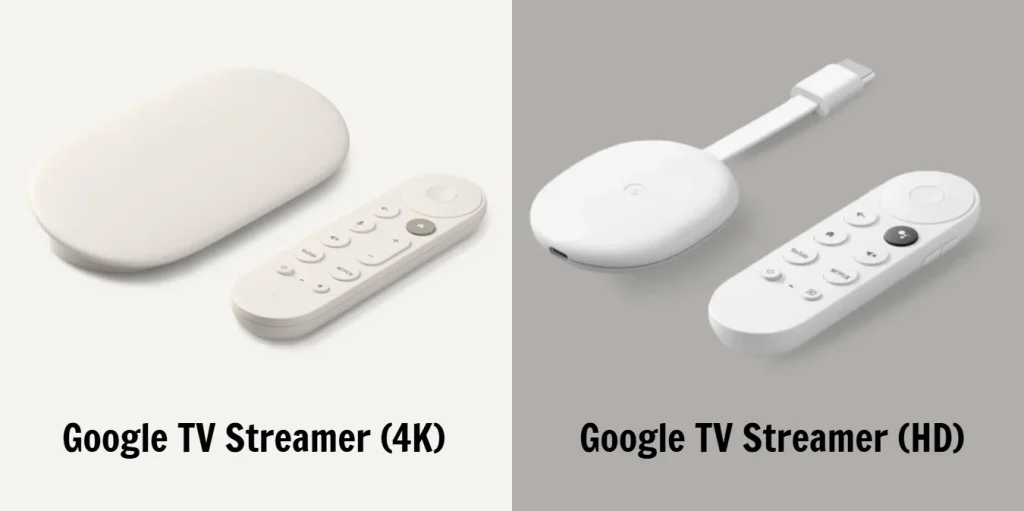
Pros:
- Google ecosystem: it has the strong Google ecosystem and the smart Google TV interface.
- Voice control: users utilize Google Assistant for voice control, making content search simple.
- Casting feature: the feature to “cast” content directly from a phone or tablet is very convenient.
- Remote finder: the remote has an audio function to locate it when lost. Furthermore, users can find the remote using the Google Home app on their phone (this works even with an iPhone).
- Expandable storage: users can use a USB-C dongle to add extra storage capacity and connect to other external devices because the device runs on the Android TV platform.
- Third-party apps: users can download third-party applications.
Cons:
- Low RAM: the device has relatively low RAM, either 1.5GB (for the Chromecast HD version) or 2GB (for the Chromecast 4K version).
- Small storage: the initial built-in storage is quite small at only 4GB.
- Performance issues: the device sometimes shows minor stuttering or lagging during use, which slightly impacts the experience.
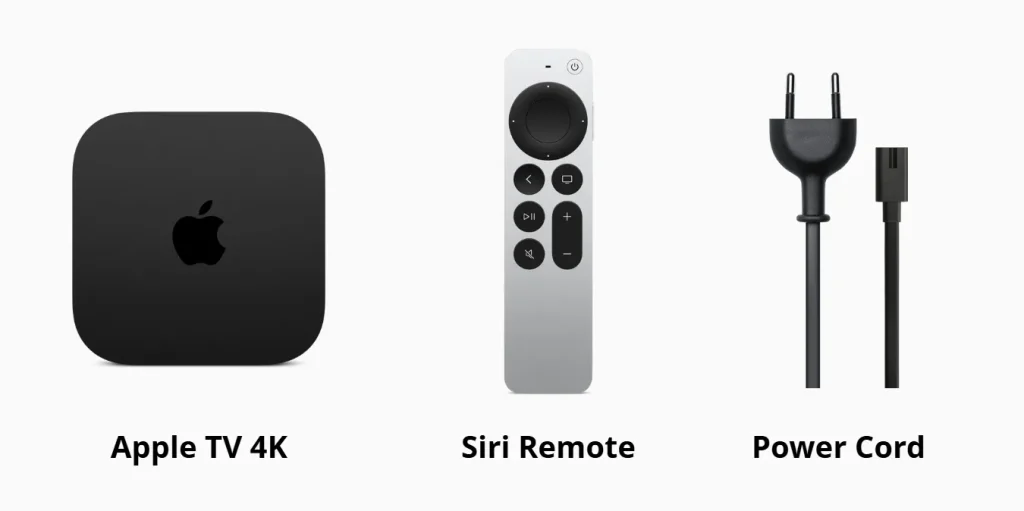
Apple TV 4K
Source: Apple
Pros:
- Superior performance: it provides industry-leading performance, ensuring the device never lags or slows down.
- Premium quality: the picture and sound quality receive excellent ratings as the best in this category.
- Sleek interface: the interface is premium, clean, and minimalist, offering a pleasant user experience.
- Apple ecosystem: this is the best choice if the user owns other Apple products. Syncing the Apple TV 4K with other Apple devices (iPhone, iPad) allows users to enjoy personalized experiences, such as accessing photo libraries and purchased apps, and using features like AirPlay seamlessly.
Cons:
- App issues: although users can download third-party applications, some of these apps have issues when logging in or accessing content. As a result, the apps sometimes crash, preventing users from watching.
- Non-Apple users: it is not the optimal choice if the user is not part of the Apple ecosystem (meaning they do not use an iPhone/iPad).
- Missing cable: Apple does not provide the HDMI cable in the box. Therefore, the user must buy the HDMI cable separately.
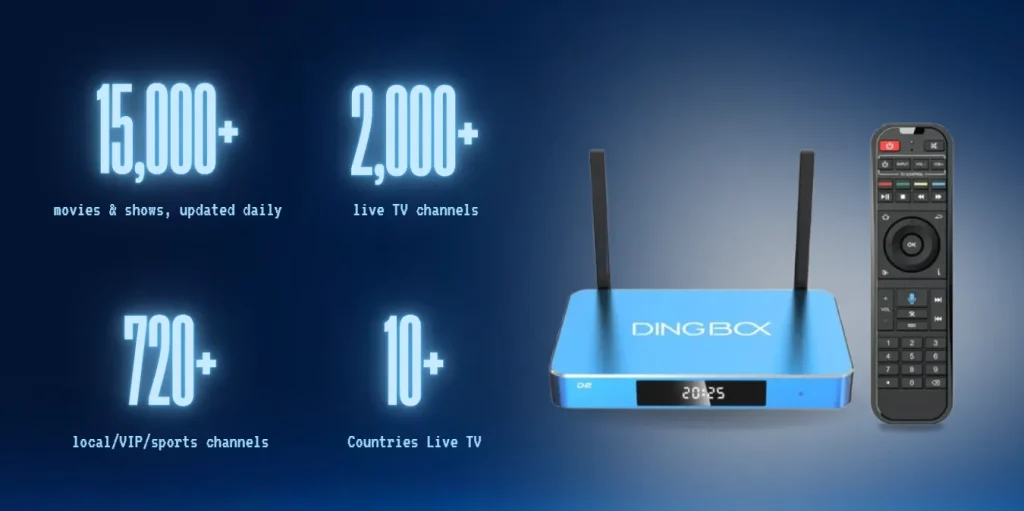
DingBOX D2
Pros:
- Diverse content: it has a content library with the most diverse and rich applications compared to other streaming devices for non-smart TV on the market.
- Usage cost: this is a one-time purchase. Consequently, the user does not need to pay mandatory monthly maintenance fees for the hardware.
- Exclusive apps: it includes exclusive apps provided by DingBOX completely free of charge (e.g., watching many sports programs and movies without needing to pay subscription fees).
- User-friendly interface: the app interface uses large, easy-to-read icons. Furthermore, it has no hidden menus or tabs, making it very friendly for older users.
- OS support: it supports downloading applications from Google Play.
- Useful feature: it allows users to review television content that was broadcast up to 7 days prior.
- Customer support: the customer service team consists of real people available 24/7, not automated responses. Therefore, they are always ready to answer any customer questions.
Cons:
- Initial price: the initial purchase price is higher compared to the other listed devices.
- Frame rate: the FPS (frames per second) is low, making it unsuitable for gaming as it causes movement to feel less smooth.
What to Consider Before Buying Streaming Devices for Non-Smart TV
Before making a purchase, you must evaluate several important factors. This is because the most suitable device is not always the newest or most modern one. Instead, it is the one that best fits the user’s needs and habits. Therefore, knowing what to consider before buying streaming devices for non-smart TV will help you avoid waste and ensure long-term satisfaction.
Compatibility and Connection Ports
The first and most important factor you need to check is compatibility regarding connection ports.
- HDMI port: most streaming devices for non-smart TV currently require an HDMI port for connection, as this port transmits both high-quality image and sound.
- Adapter: however, if your television is very old and uses a different connection port (such as AV or component), you will need to buy an external cable or adapter.
Therefore, first, you should accurately determine which connection port the streaming device you intend to buy requires. After that, check the available ports on your television to ensure the connection goes smoothly and that you do not have to spend extra money on unnecessary adapter accessories.
Streaming Resolution (4K, HDR, and 1080p)
Matching the device’s streaming capability with the actual resolution of your TV is very important for achieving the best viewing experience. First, you need to check which resolution your television supports.
- TV support: for example, if your TV does not support 4K, you can still fully view content from 4K devices. However, that content will only be displayed in a lower resolution, such as 1080p. Consequently, you will not see the full benefit and sharpness of 4K technology.
- Optimal display: despite this, you do not need to worry. These devices are always smart. They will automatically adjust to always support and display the maximum resolution your TV can handle, ensuring the best viewing quality for the user. Furthermore, since these devices are designed to turn old television sets into smart TVs, their compatibility is very high, provided the TV has the necessary connection port.
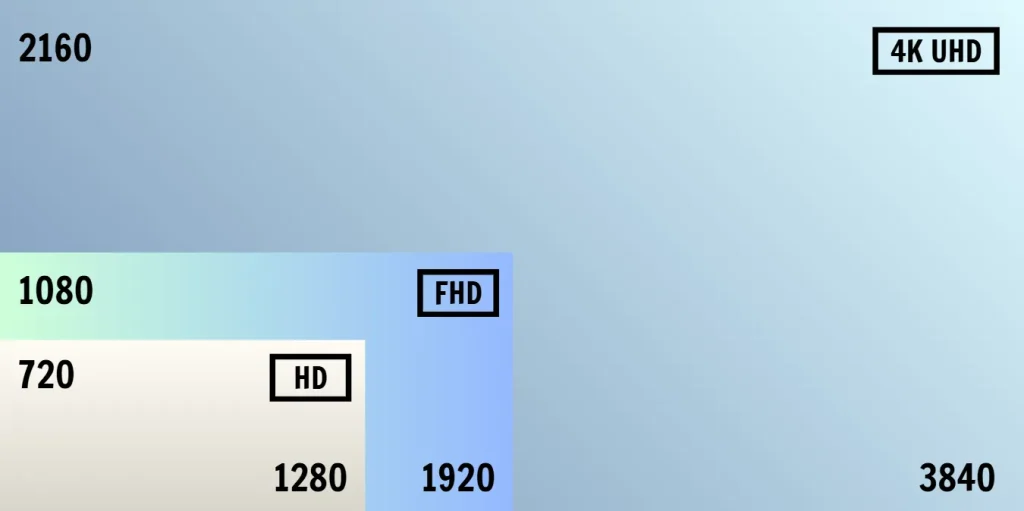
In summary, if your TV does not display 4K resolution, do not panic. Instead, check again whether your old television is HD (720p), Full HD (FHD 1080p), or 4K (Ultra HD – UHD). Making this accurate determination helps you choose a device with a price and capability that best suits your actual needs.
Operating System and App Ecosystem
The device’s operating system (OS) determines its interface, feel, and app ecosystem. This is where personal preference and existing technology devices play a large role.
- OS similarity: essentially, operating systems like Roku OS, Fire OS, and others generally have interfaces similar to Android TV running on many smart TVs or streaming devices for non-smart TV. The main difference lies in the specific ecosystem of each manufacturer.
- Ecosystem choice: if you belong to the Amazon ecosystem, you should consider buying the Amazon Fire TV Stick for the most optimal experience. Alternatively, if your family uses electronic devices from various different brands, you can consider buying a neutral device like the DingBOX version 2.
- Apple difference: only the Apple TV 4K will have a significantly different interface compared to most other operating systems on the market. Apple provides a cleaner experience with fewer advertisements and does not track user behavior. Notably, the DingBOX D2 also stands out because it does not track user behavior, giving users peace of mind regarding privacy.
In conclusion, choose the operating system you feel most comfortable with, and prioritize devices (like Apple TV 4K or DingBOX D2) if privacy and an ad-free experience are your primary concerns.
Performance, Speed, and Remote Control Features
A fast processing device is a critical factor, but the quality and features of the remote control also significantly affect the daily user experience. Therefore, when buying, you also need to consider the included remote control features.
- Google Chromecast remote: the Google Chromecast remote control is quite impressive. It includes a search mode to help users find the remote when it is lost (via a button on the box or the Google Home app on a phone/tablet). This feature is particularly useful, suitable for older users or people who are forgetful.
- Apple TV 4K remote: the Apple TV 4K remote control is very unique because it is rechargeable; therefore, it does not use disposable batteries. Furthermore, this remote supports both a touchpad and a clickpad mode for flexible navigation, whereas remotes from other brands typically only feature a clickpad. The Apple remote (2nd generation and later) can also be easily located by using the Control Center on an iPhone/iPad.
- DingBOX D2 remote: the DingBOX D2 remote control has a design similar to most other streaming devices for non-smart TV, but the key difference is that it comes with physical number buttons already available. Consequently, this is an extremely convenient advantage for searching TV channels or content by number, saving users significant time because they do not need to click each button on the screen to enter the number.
In conclusion, users can prioritize devices with fast processing speeds, and consider unique remote features like lost remote finder modes or physical number buttons for the most convenient viewing experience.
Finding Your Best Streaming Devices for non-smart TV
You can now confidently say goodbye to the idea that you need to buy a costly new TV to enjoy modern streaming. The power to transform your old television into a cutting-edge media hub lies entirely in choosing the right streaming devices for non-smart TV.
In summary, if your priority is the absolute budget-friendly option, Roku or the Fire Stick are solid choices. However, if you want a powerful, neutral android TV box that offers high-end specifications and ensures privacy by not tracking user behavior, the DingBOX D2 stands out as an excellent solution with no monthly fees. Ultimately, by selecting a device that aligns with your specific needs, whether that is simplicity, speed, or zero monthly fees, you not only maximize your old TV but also secure a high-quality, affordable viewing experience for years to come. Explore the advanced features of the DingBOX D2 today!
Share this post with your friends!
6K TV Box: Everything You Need to Know Before Buying
The term 6K TV box has been popping up everywhere lately. Some brands even suggest…
Finding the Best IPTV for Resellers in 2026
Choosing the right IPTV service for resellers has never been easy, especially when the market…
DingBox Apps Installation Guide and Full Content Overview
If you’ve got a DingBox and want one single, detailed guide that shows you how…
How to Set Up DingBOX in 3 Simple Steps
First time using DingBOX? Don’t worry! DingBOX is designed to be incredibly easy for anyone…
How to Watch TV Without Cable, Save Space and Money
How to watch TV without cable and save space and money has become a major…
DingBOX Channel List: Live TV, Sports, and Exclusive Channels
In recent years, the demand for IPTV has increased significantly. Users no longer want to…